

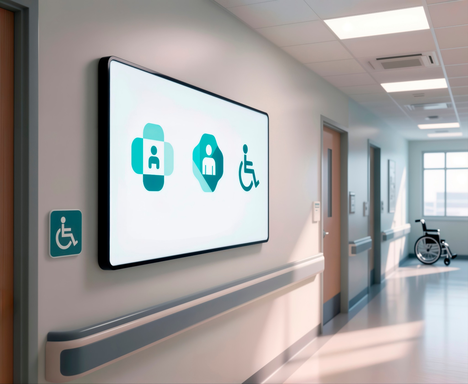

Digital signs are used by 70% of hospitals. They’re also used by dental practices, clinics, private practices, and other healthcare settings. That widespread adoption is due to the versatility screen-based signs can provide.
A well-executed signage strategy can improve patient engagement, reduce perceived wait times, and streamline communication. Digital signs are more than just televisions in the waiting room. Instead, they’re strategic communications tools, especially when they’re combined with calming background music.
With companies like Pandora CloudCover, combining these elements is easier than ever before.
Explore fully licensed music and digital signage for your business
No credit card required. Terms and conditions apply.
Why Healthcare Facilities Are Adopting Digital Signage
The healthcare industry is embracing a patient-centric approach, and digital-first environments are critical to success. Signs can help an organization communicate clearly, improving a sense of trust and consistency.
Studies show well-informed patients express higher satisfaction in healthcare settings, emphasizing the role digital signs can play.
Digital signage can reduce perceived wait times by up to 35%
of patients (and staff) say digital signage content improves their experience
Increase in business from clinics using displays Source
Reduce Perceived Wait Times
Engaging visuals can distract patients as they wait, providing a source of education and entertainment. Screens can share information about providers available to help, along with tips patients can follow to stay healthier in the future.
Digital signs reduce perceived wait times by 35%, highlighting how the right content can help patients stay calm as they wait.
Create a More Professional, Calming Environment
Modern screens elevate the look and feel of medical spaces. When screens are paired with soothing background music, they can reduce anxiety and help patients feel like they’ll get the high-quality care they deserve to stay healthy.
Using the same content across offices can help patients understand the brand and feel comfortable, even if they have to visit a space that’s unfamiliar to them.
Improve Patient Communication & Understanding
Signs can reinforce the spoken instructions doctors provide, as well as the information highlighted by reception staff. When messages are reinforced this way, they’re easier for patients to remember and trust.
Signs and background audio messages can be provided in multiple languages, ensuring the whole community understands the data.
Benefits That Pair With Waiting Room Audio
A silent screen provides helpful information, but a screen paired with the right audio background is more powerful. This combination can help to ease waiting room anxiety and make a long wait seem shorter.
Pandora CloudCover offers a one-touch solution for your audio and visual messaging needs. Find out how it works and get started with a 14-day free trial.
Access premier curated playlists with Pandora CloudCover
No credit card required
Key Benefits of Digital Signage in Healthcare Settings
There are operational and patient-facing advantages associated with using digital signage combined with background music in healthcare settings. These are a few of the important benefits to understand:
Enhance Patient Experience & Satisfaction
Clear communication helps patients feel less confused and frustrated. When they know they’re in the right place getting the right help, they’re less likely to lash out at staff.
Your signs can highlight wayfinding information, check-in instructions, and next-step reminders.
Support Staff Efficiency & Reduce Repetitive Questions
Your front-line staff likely answers the same questions repeatedly. Signs can showcase those answers, reducing stress for patients and staff members. Good items to cover include policies, forms, prep instructions, and reminders.
Improve Health Education & Awareness
Screens can highlight preventive tips and wellness messages, helping patients understand how to stay healthy. Seasonal campaigns, such as flu shot clinics, can also be highlighted on screens.
Reduce Printing Costs & Manual Updates
Digital screens can be updated through a dashboard, reducing the need to design, print, and post paper versions. A centralized dashboard makes real-time updates quick and easy.
The Power of AV in Healthcare: Pairing Digital Signage With Audio
A unified platform that combines audio and visual messaging is ideal for healthcare settings. Pandora CloudCover offers such a service, reinforcing consistency across your entire brand.
Unified Messaging Across the Facility
Sync overhead announcements with on-screen messaging to ensure patients absorb your key messaging. This is especially critical for facilities that serve patients with hearing or vision deficits. When one medium isn’t reaching them, the other will.
Create a Calmer, More Comfortable Atmosphere
Background music and soothing signs make a healthcare facility seem modern, organized, and trustworthy. Waiting rooms are easier for customers to tolerate, as they have something to entertain them around every corner.
Zone-Based Control for Different Areas
Specific areas of a healthcare facility may have different audio or visual needs. For example, child-friendly visuals are appropriate for kid clinics but grating in other areas.
Zones make managing differing content needs really easy. We’ll explore these use cases next.
Digital Signage & Audio Zoning Use Cases in Healthcare Facilities
Needs for audio and visuals can vary by department and patient flow. Creating and managing zones can ensure you’re always making patients happy.
| Waiting Rooms | Digital Signage & Audio Use Case | Primary Goal |
|---|---|---|
| Waiting Rooms | Display wait time updates, wellness tips, and provider info on screens while playing calming background music | Reduce anxiety and perceived wait times |
| Reception & Check-In | Show step-by-step check-in instructions and paperwork reminders supported by soft ambient audio | Streamline intake and reduce staff interruptions |
| Hallways & Wayfinding | Use directional screens and department labels paired with neutral background audio. | Improve navigation and patient flow |
| Exam Rooms | Reinforce provider instructions with visual care explanations and minimal or muted audio | Improve patient understanding and retention |
| Urgent Care / ER | Communicate triage steps, safety notices, and queue updates with controlled audio support | Increase clarity in high-stress environments |
| Staff-Only Areas | Share internal updates, KPIs, and shift reminders with optional background music | Improve internal communication and efficiency |
Waiting Rooms
Focus on sharing content that highlights an expected wait time, so patients know what to expect. Then, share soothing music and visuals to help reduce anxiety and make the wait seem as short as possible. Good content ideas include provider information and wellness tips.
Reception & Check-In Areas
Answer common questions through your printed and audible messages. Highlight common concerns, such as where to check in, what information to provide, and what paperwork might be needed. Your patients will move more efficiently and seem more relaxed.
Hallways & Wayfinding Zones
Share information to help patients get to the right place at the right time. Share directions, department labels, and more. If an alert is required, share that data on both screens and speakers to ensure everyone understands what’s happening.
Exam Rooms
Share educational content to help patients wait comfortably for the appointment to begin. Keep the audio messaging simple here, so patients can hear what their providers are saying.
Staff-Only Areas
Share important information with your providers here, such as shift updates, KPIs, and compliance reminders.
Use audio sparingly here, as your providers may need a space to step away and relax between appointments. Soothing background music may help them disengage.
Choosing the Right Digital Signage Solution for Your Healthcare Facility
Select hardware and software that comply with the needs of a healthcare facility. This means it must be both reliable and easy to clean.
Hardware & Software Considerations
Commercial-grade screens for high-traffic areas are an exceptional choice. They are durable and easy to disinfect, making them a long-lasting investment in good communication.
Your software should allow for scheduling, but it should also be easy to access and change in case of emergency. Pandora CloudCover’s CloudBox is an ideal solution, as it can control both your audio and visual data through one dashboard you can access quickly.
Content Strategy for Patients vs. Staff
Patient-facing content can include tips and provider biographies, but your staff content should focus on employee basics, such as compliance reminders. Zoning makes this possible. Consider day-parting content, such as morning check-in messaging versus afternoon pickup content.
Ensure your content meets ADA requirements. This means fonts should be large enough to read with enough contrast to stand out. Pandora CloudCover can help you with this crucial compliance step.
Best Practices for Implementing Digital Signage in Healthcare Organizations
Creating a content strategy is an important part of success for healthcare organizations. With the right partner, it’s easy to handle this step with professionalism.
Keep Content Simple, Calm & Patient-Friendly
Your digital signs should include clear content that doesn’t overstimulate. Keep your messages short and free of jargon to ensure your customers can read the notes and understand your intent.
Align Visual Content With Audio Tone
Ensure the tone you’ve set with your visuals is matched by your background music. Conflicts create tensions for your patients.
Review & Refresh Content Regularly
Update your content monthly or quarterly, depending on your patient load. Ask your patients about your signs, and fix any problems they highlight regarding engagement and comprehension.
Getting Started Checklist for Healthcare Administrators
This checklist can help you create and deploy an effective audio/visual strategy for your healthcare facility:
- Define your communication goals.
- Set appropriate content zones within your facility.
- Choose scalable hardware and cloud-based software.
- Develop a simple content calendar aligned with audio.
- Train staff members on updates and emergency messaging.
Pandora CloudCover can support both audio and visual messaging, making it an ideal partner for healthcare facilities of all sizes.
How Cloud Cover Music Can Help Optimize Your Audio & Visual Experience
Pandora CloudCover can support both music and screen-based signs, making it an exceptional choice. With one dashboard, you can manage your entire communication strategy across your enterprise, ensuring consistency and scalability. Create a compliance-friendly, professional environment with one low fee.
Frequently Asked Questions
How does digital signage improve patient satisfaction?
Digital signs can keep patients calm and informed, improving their satisfaction with each visit.
Can digital signage help reduce perceived wait times?
Yes. Digital signs are well-known for their ability to make wait times seem shorter.
Is digital signage HIPAA-compliant?
Digital signs are compliant, but the information you share must be reviewed by your compliance officer.
Can signage be managed across multiple clinics or locations?
With Pandora CloudCover, you can manage signage across your entire enterprise from one dashboard.
How often should healthcare content be updated?
Your content should be updated regularly, based on your patient load.
Can digital signage and audio work together for announcements?
Yes. This is a best practice, especially in an emergency.
References
A Study on Patients’ Perception of Signage System in a Tertiary Care Teaching Hospital. (July 2024). Heart, Vessels and Transplantation.
How Effective Is Digital Signage? Wallboard.