

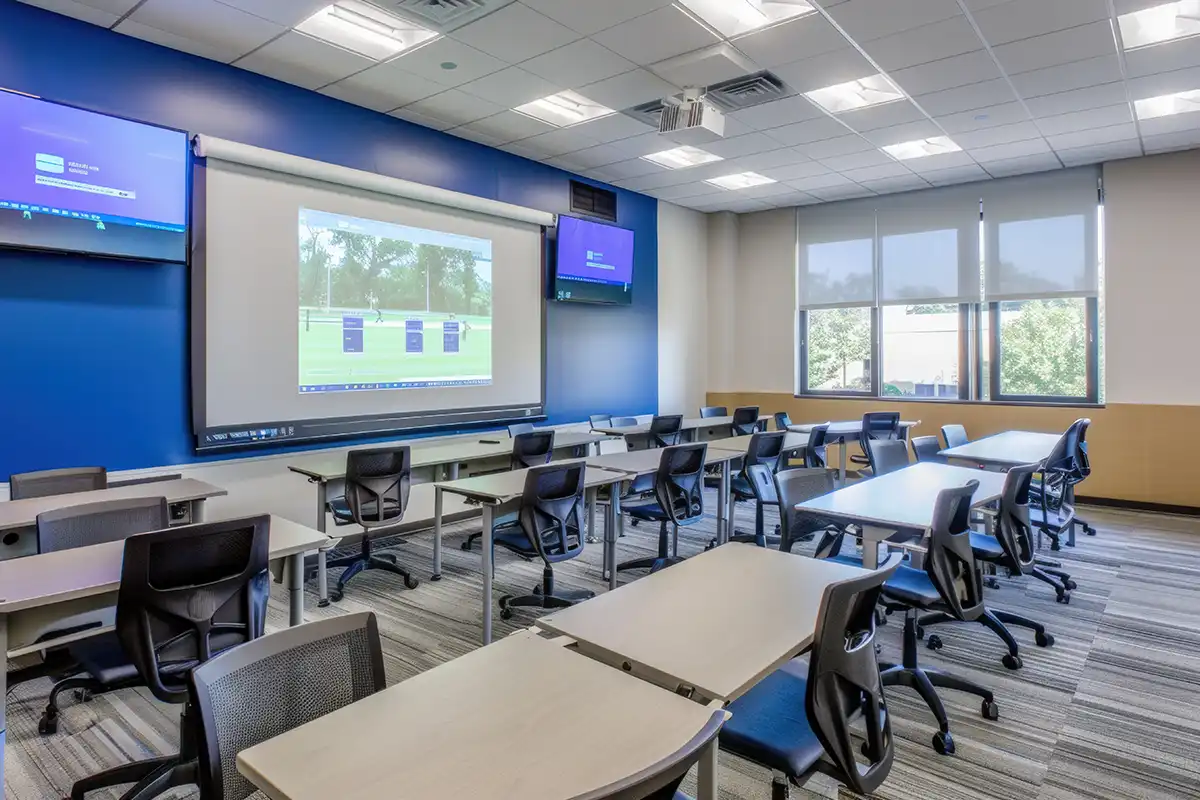

Modern schools benefit from digital signs. Today’s schools are large and crowded, and students struggle with information overload and shifting schedules. Digital signs provide a clear, centralized source of information to help students succeed.
Digital signs paired with music can do more than simply help students know what’s going on today. Those signs can also help students be aware of safety hazards, and they can even guide students from place to place. They’re effective and efficient, and they’re a good choice for any educational setting.
Why More Schools & Universities Are Adopting Digital Signage
73% of schools
report that digital signage brings essential advantages for communication development
Educational institutions are adopting digital signage to help them provide real-time alerts, promote events, and enhance wayfinding.
As class sizes grow and hallways grow more and more crowded, students need eye-catching signs to help them stay informed. While printed posters can be damaged, defaced, or simply ignored, digital signs are bright and colorful, helping students get the information they need.
Key Benefits of Digital Signage in Education
The ability to share emergency alerts and engage students is among the key drivers of digital signage adoption. Administrators also use digital signs to reinforce lessons about waste reduction and eco-friendliness.
Secondary schools often use signs, but so do large institutions like Wright State University. In higher education, students can be unaware of all the events and opportunities on campus. Digital signs can keep them engaged and informed, ensuring they get the most value from their tuition dollars.
Enhance Campus Safety & Emergency Response
Digital signs can help students react quickly when an emergency begins. As one administrator in Wisconsin said, bright signs are eye-catching and can be used to inform all students, including those who are deaf.
Visual cues are essential for accessibility. Signs that use widely understood symbols can keep students safe during high-stress moments.
Boosting Student Engagement & Spirit
+400%
Digital signage captures attention up to 400% more than static displays
Digital screens can highlight student achievements, showcase artwork, promote sporting events, and celebrate faculty. Those messages can help students feel inspired by their school.
Research shows that students with high levels of school spirit perform better academically, and they tend to be happier than those with no such spirit. By increasing a sense of pride, schools can help their students to succeed.
Modern students are digital natives, and they respond positively to screens. Paper just doesn’t have the same impact.
Reduce Administrative Work & Printing Costs
Reduce by 60%
Schools can reduce paper and printing use by up to 60% in the first year after implementing digital signage
Eliminating printing costs can help schools to save money. Instead of designing and printing fliers, newsletters, and menus, they can use their funds to help students succeed.
A reduced reliance on print can also help to reinforce sustainability lessons. Green education is critical for the future of the environment, and educators can demonstrate they believe in the concept by reducing their use of paper products.
The Power of AV: Pairing Digital Signage With Campus Audio
Signage combined with audio messaging creates a unified communication system across the campus. Audio can reinforce key messages through bells and announcements, while visuals support reminders and scheduled content.
This pairing can also create a multi-sensory campus where audio sets the tone and visuals provide the information.
| Feature / Benefit | Why It Matters for Convenience Stores |
|---|---|
| Capture customer attention quickly | Shoppers often make fast decisions, so dynamic visuals grab their eye far more effectively than static signs. |
| Increase impulse purchases & add-ons | Highlighting promos, combo deals, or seasonal items at high-traffic zones (pumps, checkout, coolers) prompts extra purchases. |
| Flexible promotion & pricing updates | Easily update signage for time-sensitive offers (fuel discounts, daily specials, limited-time snacks), so there’s no need to reprint posters. |
| Enhance customer experience with multi-sensory branding | Combining curated music with signage creates a cohesive atmosphere that reinforces brand identity and encourages repeat visits. |
| Reduce perceived wait times & improve dwell time | Visual content entertains customers while they wait in line or browse, reducing perceived wait times and increasing the likelihood of purchases. |
| Cost savings over time vs printed materials | Eliminates recurring print and distribution costs, especially for stores with frequent promo changes. |
Create a Multi-Sensory Learning & Communication Environment
Pairing visuals with audio in educational institutions can deliver incredible benefits for instructors, administrators, and students.
Strengthen Message Retention
Pairing visuals with audio can help students remember assignments and deadlines, so they meet their educational goals. These signs are especially useful in areas with significant noise and foot traffic. Where paper signs could get lost in the shuffle, an audible and visual message is hard to forget.
Professionalize the Campus Environment
Moving visuals and curated audio create a modern, welcoming experience for students. Consistency in the tone and vibe can reinforce the school’s identity and help students understand that they’re in the right place at the right time.
Choosing the Right Digital Signage Solution for Schools
Administrators must choose the right product to gain all the benefits associated with digital signs and audio messaging.
Choosing the Right Hardware & Software Setup
Schools need large, high-visibility screens in hallways, cafeterias, student unions, and athletic facilities. A large format ensures that the messages aren’t missed in these crowded, high-traffic areas.
Software solutions should provide content scheduling with an emergency override. The system should be managed remotely, if needed, and analytics tools should be built in for monitoring.
Pandora CloudCover’s CloudBox is a one-stop solution for combined audio and signage delivery. It provides all the software features a modern campus needs to keep students engaged and informed.
Building the Right Content Strategy
Content creation is critical for success. Administrators should segment content by audience, as students, teachers, parents, and visitors may all have different needs.
Using dayparting is another smart strategy. Morning hours could be filled with announcements for the day’s activities, while the afternoon content could help students plan for tomorrow.
Use moving graphics for events to ensure everyone sees them. Try bright lights or flashes for safety reminders. And use big photos for student recognition content.
Best Practices for Implementing Digital Signage in Education
Use these tips to ensure that you get the most out of your digital signage investment and support your students effectively:
Keep Content Clear & Student Friendly
Students are on the move and need to grasp information quickly. Support them with concise text, large fonts, and simple calls to action. Keep accessibility in mind, and ensure that your content is shared in high-contrast, readable formats.
Integrate Seamlessly With Audio & Campus Layout
Optimize the placement of your signs and audio solutions. Use them in spaces such as hallways, cafeterias, entryways, libraries, and athletic centers. Ensure that each outlet has content that shares a voice and tone, so students never feel like something is out of place.
Monitor & Optimize Audio & Video Performance Regularly
Track your performance and adjust as needed. Note your calls to action, and see which tend to be most effective. Refresh your content as well, so your students always expect something new and engaging.
Digital Signage & Audio Use Cases for Schools & Campuses
These are specific areas of a school or university campus where signage and audio solutions tend to be the most effective.
| Zone or Location | What to Display | Goal or Effect |
|---|---|---|
| Main entrance | Welcome greetings, interactive campus maps, and security check-in protocols | Create a secure, professional first impression and assist visitors |
| Hallways | Digital flyers, student artwork, bell schedules, and emergency exit paths | Eliminate paper clutter and ensure high visibility for announcements |
| Cafeteria | Digital menus, nutritional info, trivia, and school news feeds | Speed up service lines and entertain students during breaks |
| Library | Room availability, quiet study rules, PC reservation status, and book highlights | Ensure efficient resource management and atmosphere control |
| Gyms or athletic facilities | Scoreboards, athlete profiles, game schedules, and pep rally videos | Boost school spirit and modernize the spectator experience |
| Admin offices | District KPIs, internal staff announcements, and waiting room welcome screens | Improve internal communication and professional appearance for meetings |
Main Entrance
Use screens to welcome visitors, parents, and guests, and reinforce those messages through your audible content. Wayfinding maps and messages can streamline security check-in protocols and ensure that visitors can get to their destinations quickly.
Hallways
Digital screens can replace messy bulletin boards and taped-up flyers. Use these high-traffic areas to share general announcements, such as upcoming meetings and deadlines.
You can also recognize students and staff members through your content. And in an emergency, your content can help students understand what to do next.
Cafeteria
Digital menu boards are ideal for menus, as they can be updated quickly and effectively when an item is sold out or unavailable. Your signs can also display allergy information and nutritional data. If you often experience long wait times, use your music and signs to keep people entertained.
Library
Use your signs for functional information, such as tutor availability, study room booking status, and new book arrivals. Since your students use these areas for quiet contemplation, keep the audible messages to a minimum. However, be ready to deploy audio if an emergency occurs and students need to react.
Gym & Athletic Areas
Large-format screens can display scores and game highlights, as well as help visitors plan for the next meet. You can reinforce academics on these screens by sharing content about students of the month or outstanding instructors. Your screens could also entice visitors to visit the concession stand.
Administrative Offices
Use your screens for internal communication, such as district news, HR updates, or KPI dashboards. Screens can also help to entertain visitors in waiting areas, and they can be deployed to keep staff safe in an emergency.
Getting Started With Digital Signage: A Checklist for Educators
These steps can help you prepare to deploy digital signs and audio messages on your campus:
- Define your communication goals.
- Create content zones, determining what messages should be deployed in each.
- Choose your hardware and software.
- Create a dayparted schedule.
- Train your staff members.
Pandora CloudCover can support both audio and visual formats.
Why Choose CloudCover Music for Your School’s Audio & Visual Experience
No other provider makes it so easy to create and share paired visual and audible messages. With one cloud-based platform, you can create and control the content that’s shared across your campus environment. Contact us today for a demonstration.
Frequently Asked Questions
Q: What types of screens work best in schools?
A: Large, high-definition screens tend to work best in schools, as they are bright and hard to ignore.
Q: How does digital signage support emergency alerts?
A: Digital signs are bright and colorful, ensuring that all students, including deaf students, can get the information they need during an emergency event.
Q: Can we control signage across multiple buildings or campuses?
A: Solutions like Pandora CloudCover offer a cloud-based dashboard that can control messages across an entire enterprise.
Q: How often should we update student-facing content?
A: Start with a monthly content rotation and change your schedule based on a dip in engagement.
Q: Can signage and audio be combined for announcements?
A: Yes. Solutions like Pandora CloudCover make this quick and effective.
Q: Is digital signage effective for younger and older students?
A: Both audience types can benefit from messaging that helps them to stay informed about what’s happening on campus. Tweak your messaging to ensure it appeals to both demographics.
References
Class Sizes: A Growing Issue Among Educators. (June 2023). NEA Today.
Digital Signage. Wright State University.
Enhancing School Safety: Digital Signage for Emergency Communications. (June 2025). EdTech.
Survey Shows Students with School Spirit Are Top Achievers. (February 2015). National Federation of State High School Associations.
The Role of Green Education in Achieving the Sustainable Development Goals: A Review. (March 2025). Renewable and Sustainable Energy Reviews.
Legal Disclaimer:The materials on this website are provided for general informational purposes only and do not constitute legal advice. Any descriptions or references to products, services, or technologies represent opinion only and should not be construed as statements of fact. The information is provided “as is,” without any representation or warranty as to accuracy, completeness, timeliness, or fitness for a particular purpose. We disclaim all liability for actions taken or not taken based on this content or any linked materials. Links to third-party websites are provided for convenience only, and we do not endorse or assume any responsibility or risk for their content, products, services, or potential damages arising from their use.