

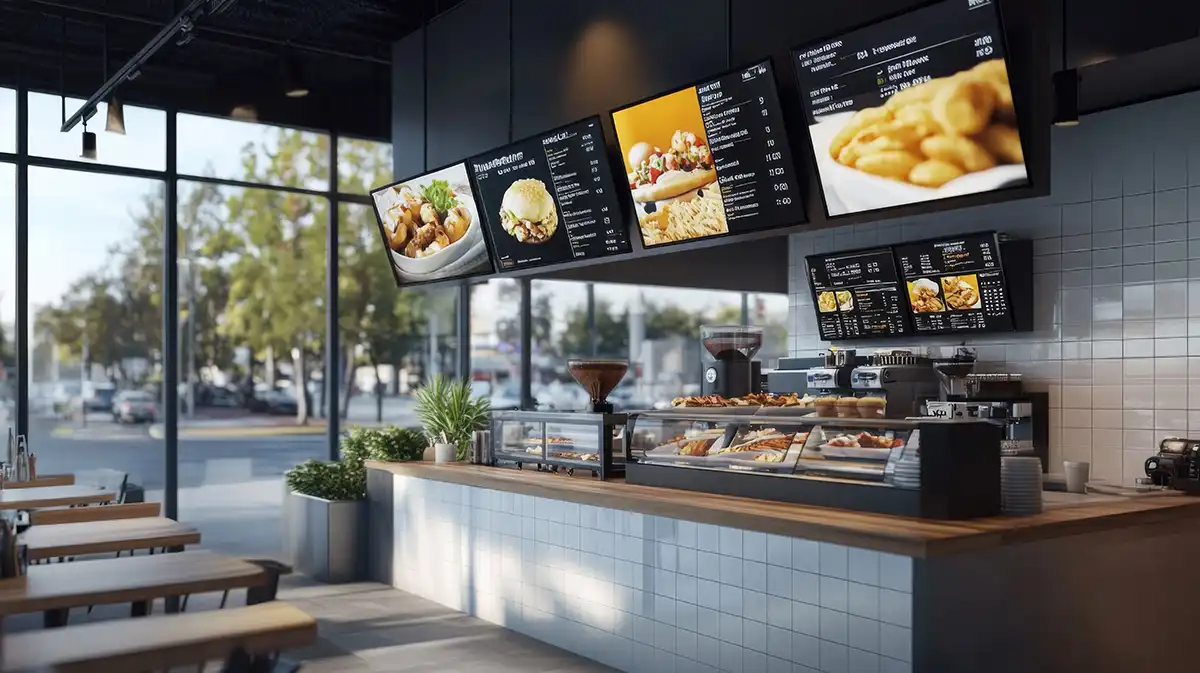

Restaurants all over the country are switching from traditional paper menus and signs to digital solutions. Modern signs are easy to update (without costly reprints), ensuring you’re always sharing accurate information with your customers.
The best signs pair with the audio you share. An integrated restaurant experience can help you reinforce your brand and get the most out of your signage investment.
Why Music-First Restaurants Are Adding Digital Signage
Most restaurants play music to enhance the dining experience, but many are adding digital signs to the mix.
Restaurants have an estimated 5% profit margin, meaning few can afford to leave opportunities unexplored. Digital signs are a proven way to boost the average check size while reducing print waste.
Upselling & High-Margin Promotions
Brands using digital signage
see sales increases up to +33%
Motion graphics, like coffee steaming in a cup or burgers sizzling on the grill, can trigger appetite more than static text descriptions. The content you share on your digital screens can strategically highlight your high-margin items or limited-time offers, ensuring you sell enough to meet your budget goals.
A partner like Pandora CloudCover can integrate digital screens with audible messaging, ensuring that your customers don’t miss out.
Reducing Perceived Wait Times
Researchers explain that occupied time feels shorter than unoccupied time. When your customers have something to do, they’re less likely to complain about long lines and delays. Screens can help.
Use your digital signs to entertain your customers with things like this:
- Trivia
- Chef biographies
- Behind-the-scenes meal prep
- Recipes
You can also use your digital signs to keep your customers informed about how long their wait might be, so they know what to expect.
Dynamic Menu Boards & Dayparting
Dayparting involves automatically adjusting visuals to match the tempo of your restaurant. Just as your music choices might shift from mellow in the morning to upbeat in the afternoon, your signs can do the same.
Since digital signage is immediately adjustable, it can change when your menu changes. For example, 95% of restaurant owners experienced supply chain problems in 2021 that impacted their menus. With digital signs, you can strike out items quickly before customers try to order them.
Integrating Digital Signage With Your Restaurant’s Soundscape
Your digital signs should mesh perfectly with the background music you play for your customers. For example, if the music is upbeat, the visuals should be dynamic. If the music is at a slower tempo or lower volume, the visuals should be elegant.
Aligning Visuals With Audio Branding
30% of buyers
influenced by digital menu boards
Start by defining your overall vibe. If you’re running a sports bar, you need high-tempo music and stats-heavy screens. If you’re running a wine bar, you need acoustic playlists and subtle wine lists.
If there’s a mismatch, your customers will feel confused. They may even leave your establishment before placing an order.
Placement & Strategy: Where Eyes and Ears Meet
Your signs should be placed in high-impact areas, ensuring customers see the content you’ve worked so hard to create. Good digital signage locations include the following:
- Entrances: Visuals entice people to come inside and place an order.
- Counters: Use fast-paced audio next to the menus to entice quick decision-making.
- Dining: Ambient visuals don’t distract from conversation, but they could entice customers to add dessert or a drink.
Pandora CloudCover offers production services for audio messages to play alongside your visuals. This helps ensure you get the most out of every customer visit.
Choosing the Right Digital Signage Solution for Restaurants & Eating Establishments
Digital signs require both hardware (the screens and players) and software (the program that pushes content). Each facility may need a slightly different setup. Here’s what you need to know:
Hardware: Commercial Grade vs. Consumer TV
Restaurants need different screens than those homeowners might need. For example, a restaurant might need screens that are resistant to heat, steam, and grease. They may also need bright screens for window-facing or outdoor drive-through displays.
Pandora CloudCover’s CloudBox is capable of handling both music and digital signage streams from one device, simplifying the hardware stack. You’ll reduce clutter, as you need only one power source, and one dashboard manages both streams.
Content Strategy for Menus & Promotions
Ensure that your visitors can read the content you share. That means it should be high-contrast with large fonts. Avoid cluttering too many items on one screen.
While video can be an effective tool, use it sparingly to attract the eye to specials. Constant motion can cause motion sickness or annoyance while reading.
Pandora CloudCover’s solution can ensure you manage the content remotely across multiple franchise locations, so you can always share the right information at the right time.
Cost vs. ROI
Restaurants must purchase hardware and software to get started, but digital signs can pay for themselves in time. For example, menu printing through companies like VistaPrint starts at about $33 for just 50. Digital signs never need reprinting, no matter how often your menus change.
Think of your digital signs as employees that never sleep, promoting your high-margin items around the clock.
Best Practices for Restaurant Digital Displays
The following tips can help you get the most out of your digital signage investment and share the right content with your customers:
Strategic Placement & Ergonomics
Your screens should be placed at eye level, ensuring that you don’t cause neck strain. The screens should also be positioned away from windows, reducing the chance of glare, and they shouldn’t be blocked by waiting lines.
Keep It Fresh & Appetizing
Fresh visual content is critical, especially for repeat customers. Ensure you’re always sharing messages that align with what you can offer and what you’re trying to promote.
Hardware Maintenance
Grease and dust are often present in restaurant environments, and they can be hard on your screens and players. Regular cleaning can help, especially when you look closely at intake vents. Using filters on sensitive media players may be helpful as well.
Seamless Integration With Music & Messaging
Audio messaging (such as audible ads interspersed with the music) can reinforce the messages you’re sharing on your screen. Your customers can see a product and hear about it at the same time, increasing the likelihood that they’ll try it.
Monitor Performance
Try testing two different visual layouts to ensure you’re providing the right messages at the right time. For example, you could test ads for specials and see if sales rise or fall.
How Different Restaurants Can Use Digital Signage to Their Advantage
Different types of restaurants will have different music and digital signage needs. This table summarizes them:
| Restaurant Type | How to Use Digital Signage | Why It Works |
|---|---|---|
| Quick Service or Fast Food Restaurants | Digital menu boards above the counter, outdoor drive-thru screens, and order status monitors | Speed of service, upsells combos, improves order accuracy, and offers weather-proof drive-thru sales |
| Fast Casual Restaurants | Line-busting kiosks, pickup status screens, and ingredient transparency boards | Streamlines the "order-at-counter" flow, reinforces quality and freshness messaging, and manages pick-up chaos |
| Full Service Restaurants | Digital lobby signage for wait times, bar area promotions, and dessert showcases near host stand | Reduces walk-aways during long waits, prompts appetizer and drink sales before seating, and showcases high-margin add-ons |
| Bars & Nightlife | Digital tap lists (Untappd style), sports feeds, trivia and events calendars, and social media walls | Keeps beer lists current without chalkboards, entertainment keeps guests ordering drinks longer, and drives overall engagement |
Quick Service (QSR) & Fast Food Restaurants
Fast food and other types of QSRs can use digital signs as a menu board. These signs should be easy to read and accurate, and they can highlight combinations. Customers might be encouraged to add things to a smaller order when they understand how things interact.
Fast Casual Restaurants
Fast casual restaurants like coffee shops can help manage the flow of customers. For example, signs could highlight when orders are ready to pick up, which is especially important for delivery app drivers.
Screens can also help to share information about fresh ingredients, enticing them to order. Showing images of ingredients can be more enticing than just listing them.
Full-Service Restaurants
Traditional sit-down restaurants can use digital signs and background music for a complete customer experience in lobbies and waiting areas. The screens can market high-margin items like cocktails and chef specials, while music can help to set the tone for the space.
Bars & Nightlife
Bars and breweries can use their screens to promote specials, including happy hour food and drinks. A countdown could prompt a rush of orders before the special is over.
Synced visual loops that match the high-energy music can create an immersive vibe for all guests.
Restaurant Launch Checklist: Unifying Your Sound and Visuals
It’s critical for restaurant owners to take the right steps to integrate their audio and digital signage strategies. These tips can help.
- Step 1: Define your audio-visual identity. Does your upbeat pop playlist match static, boring PDFs? It shouldn't. Decide if your screens need fast-paced motion graphics (QSR) or slow, elegant fades (fine dining) to match your music's tempo.
- Step 2: Inventory your tech stack. Don't buy new media players yet. Check if your current music streaming device (like the CloudBox) has an HDMI output. You might already own the hardware you need.
- Step 3: Map the "dwell zones." Walk through your restaurant. Where do people stand still for more than 30 seconds? Most often, this will be places like the host stand or pick-up counter. These are your prime spots for digital screens.
- Step 4: Audit your visual assets. Your iPhone photos won't cut it on a 4K screen. Schedule a professional shoot for your top five high-margin items.
- Step 5: Sync your schedules. If your music switches to lunch-rush energy at 11:30 a.m., program your digital menu boards to switch to the lunch menu at the exact same time.
- Step 6: Train the front of house staff. Your screens act as a "silent server." Ensure your actual servers know what's being promoted, so they can close the deal when a customer asks about the delicious burger on screen.
- Step 7: Stress test your bandwidth. Streaming high-res video and high-quality audio simultaneously requires a reliable internet connection. Run a speed test to ensure your POS doesn't lag while your screens dazzle.
- Step 8: Run a pilot. Before rolling out to all locations, test one screen. Measure if sales of the featured "Special of the Week" actually increase compared to previous weeks.
Why Choose Cloud Cover Music + Digital Signage for Your Restaurant
7 out of 10 restaurants
say digital signage improves customer experience
Unify your audio and video messaging. Simplify your tech stack by using one platform for music, messaging, and signage.
Try it free today, or schedule a demo if you’re curious about digital signage at more than one location. Pandora CloudCover supports multi-location management for franchises, explicit lyric filtering, and easy scheduling.
Frequently Asked Questions
Q: I already have Pandora CloudCover for music. How hard is it to add signage?
A: It’s not hard to add signage to your existing plan. Contact us for a demonstration, and we can walk you through all of your options.
Q: Can digital signage really help increase food sales?
A: Yes. Digital signs are proven to help restaurants promote and sell items to hungry customers.
Q: Can I schedule different visuals for breakfast and lunch automatically?
A: Yes. Pandora CloudCover offers dayparting and scheduling options, so you can adjust content whenever you need to do so.
Q: Do I need internet service for my menu boards to work?
A: It depends. Some solutions, like Pandora CloudCover’s CloudBox, do not require internet access. However, other tools may need a constant connection to work.
Q: Can digital signage work if I have multiple restaurant locations?
A: Yes. Pandora CloudCover allows for multi-location management from one simple dashboard.
References
Bottom Line Impact of Rising Costs for Restaurants. (August 2022). National Restaurant Association.
The Psychology of Waiting Lines. (2005). David H. Maister.
Rising Food Costs and Supply Chain Issues Are Creating Challenges. (October 2021). National Restaurant Association.
Menus. VistaPrint.
How Digital Signage Is Transforming QSR Operations. (December 2025). QSR Magazine.
Digital Signage for Promoting Price Discounts: First Insights Into Customer Spending on Distant and Nearby Discounted Products. (June 2024). Journal of Retailing.
Legal Disclaimer:The materials on this website are provided for general informational purposes only and do not constitute legal advice. Any descriptions or references to products, services, or technologies represent opinion only and should not be construed as statements of fact. The information is provided “as is,” without any representation or warranty as to accuracy, completeness, timeliness, or fitness for a particular purpose. We disclaim all liability for actions taken or not taken based on this content or any linked materials. Links to third-party websites are provided for convenience only, and we do not endorse or assume any responsibility or risk for their content, products, services, or potential damages arising from their use.